Picture this: your lovely receptionist, already juggling ringing phones and walk-in patients, now needs to copy-paste patient info from a Google Sheet just to send them an appointment reminder. One browser tab for emails, one for Google Sheets, and — oh no — one typo away from sending Mrs. Jones “See you in surgery tomorrow!” instead of “See you for your checkup!” Sound familiar?
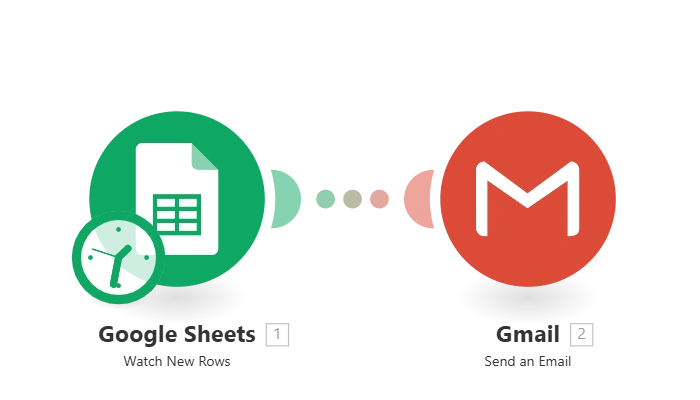
What’s happening behind the scenes?
- Your Google Sheet quietly tracks new entries — maybe from Facebook Lead Ads, a web form, or even your receptionist’s keyboard.
- When a new row appears (with columns for Email Address, Subject, Content), Make.com spots it.
- An email draft (or an immediate send!) is created in Gmail, using details from that row. Everything matches automatically, so the right message goes to the right patient every time.
- Emails are available on all devices — mobile, desktop, and tablets — so your staff can check from anywhere.
Why your clinic will love this:
- No more copying and pasting — type (or import) once and reach out to your patients instantly.
- Less risk of embarrassing mistakes. Automated field matching means no more wrong subjects or “Dear [Insert Name]” mishaps.
- Staff stress goes down, professionalism goes up. Patients get quick replies, and your team finally enjoys their coffee break without double-checking every message.
- Keeps a record of every message. Because it all runs through Gmail, you’ve got a searchable copy of every communication — no more “Did we email them or not?” moments.
How it fits into busy clinic life
- Pairs perfectly after online lead collection — see how to capture Facebook leads and connect them here.
- Feeds neatly into more advanced workflows — like auto-logging emails into your CRM or starting patient follow-up tasks when an email is sent.
- Handles quick notifications, test instructions, appointment reminders — basically, any time you need email sent on autopilot.
Time spent setting up:
Just 30 minutes from zero to inbox magic. Beginner-friendly: you don’t need to be a tech wizard, just have working accounts for Google Sheets, Gmail, and Make.com.
Want to take it further?
- Attach instructions or test results automatically.
- Only send emails for specific appointment types or statuses (like only emailing “Confirmed” patients).
- Push every sent email into your CRM or EMR for a complete patient communication history.
Business bottom line:
Priority: High impact — it saves staff time, reduces errors, and helps your clinic look polished and professional.
Revenue: Won’t turn your revenue graph into a hockey stick overnight, but it frees your team up for higher-value tasks and makes your patients feel valued, fast.
#aipulse #automation #gmail #google #healthcaremarketing


